Kit day in three steps
-
Mark it arrived
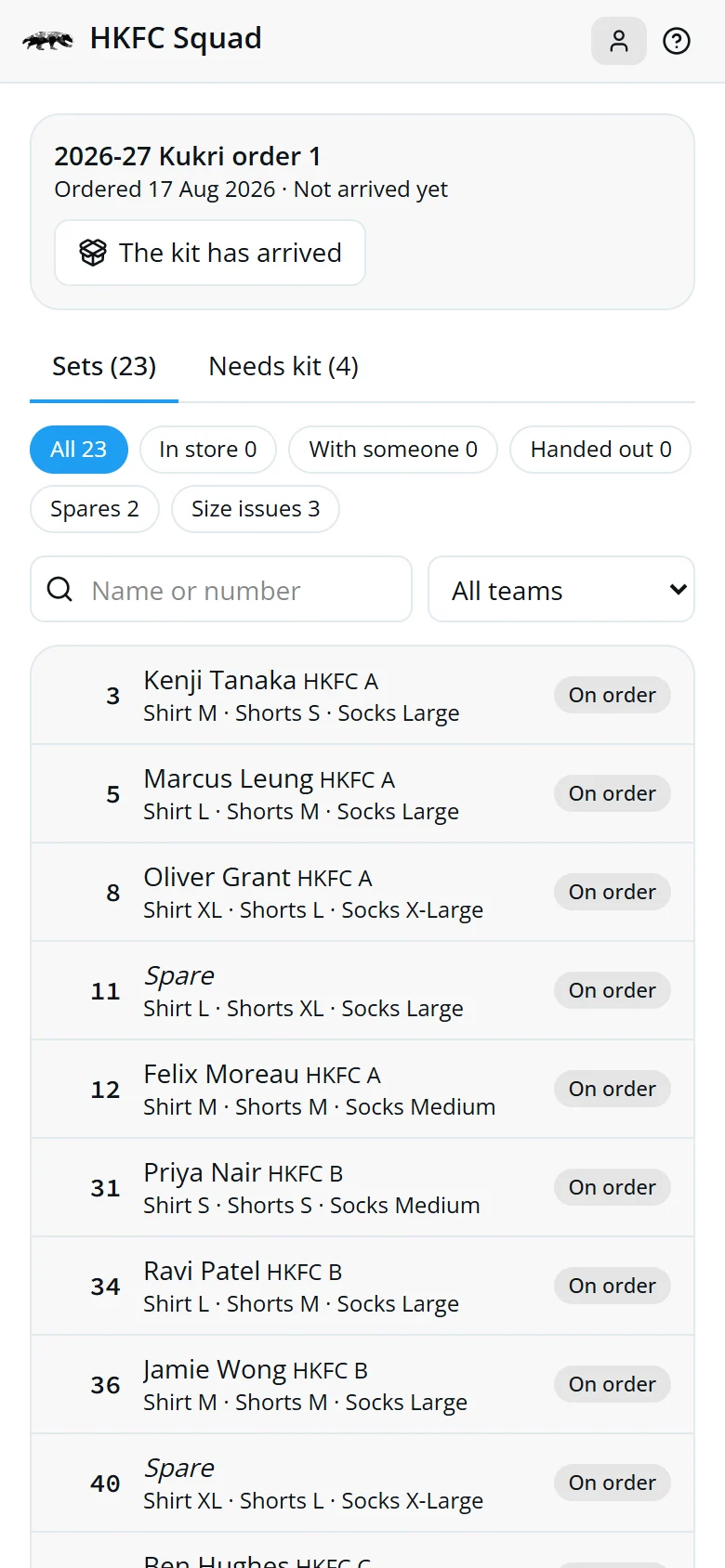
When the boxes come, tap The kit has arrived.
-
Hand out in batches
Pick who's collecting, check their team's sets and tap Hand 20 kits to Ben.
-
Chase what's left
Filter by In store or With someone to see what hasn't reached its owner.
Open the kit screen
Tap the shirt icon at the top of your player screen. It's there for the Kit Convenor and the Section Captains.
The sets are listed by shirt number, the same order as the boxes.

When the boxes arrive
Until then every set shows On order, and players see their kit is on its way.
- Tap The kit has arrived.
- Confirm.
Every set goes into the kit store, ready to hand out, and players see it's ready to collect.
Where every set is
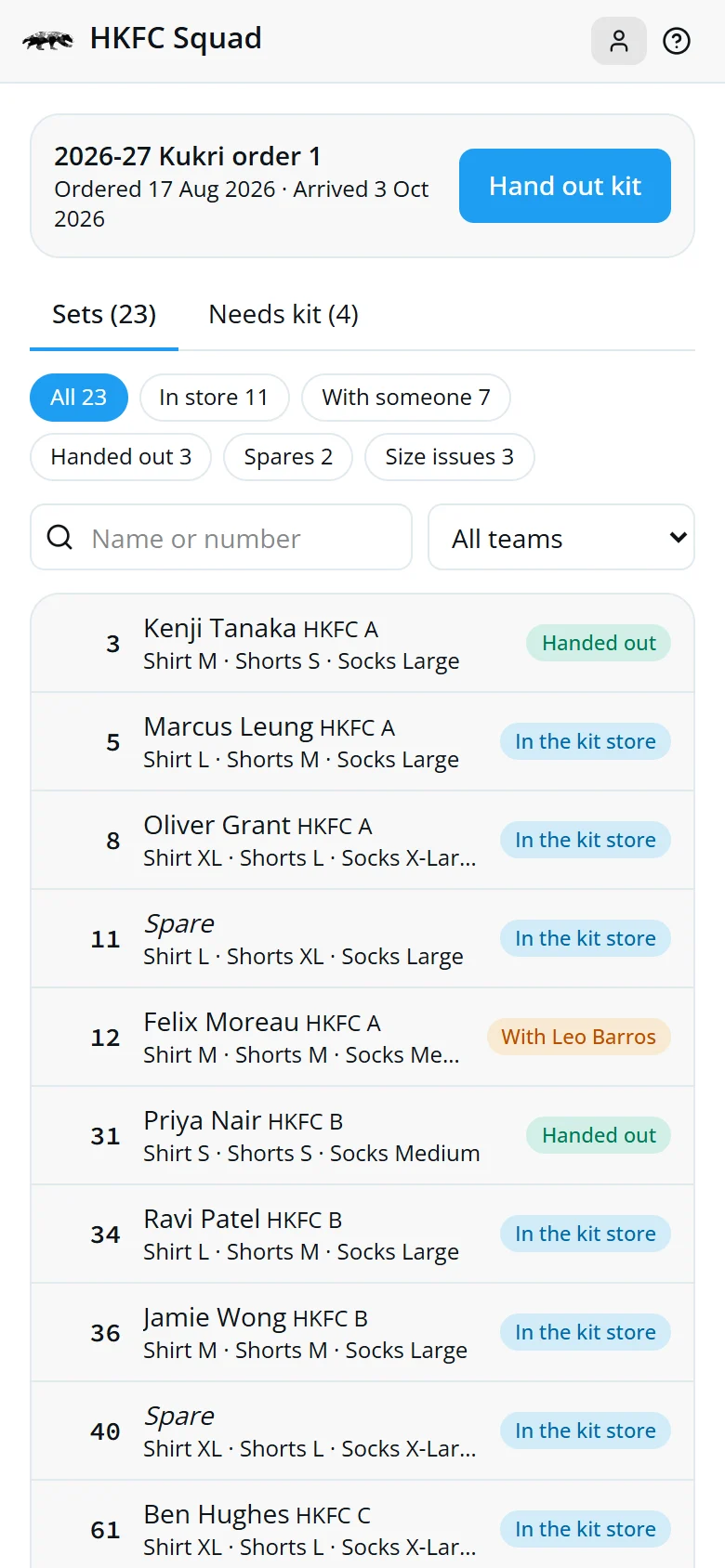
- On orderThe boxes haven't arrived.
- In the kit storeWith you, ready to hand out.
- With BenCollected for its owner, not yet passed on.
- Handed outIts owner has it. Done.
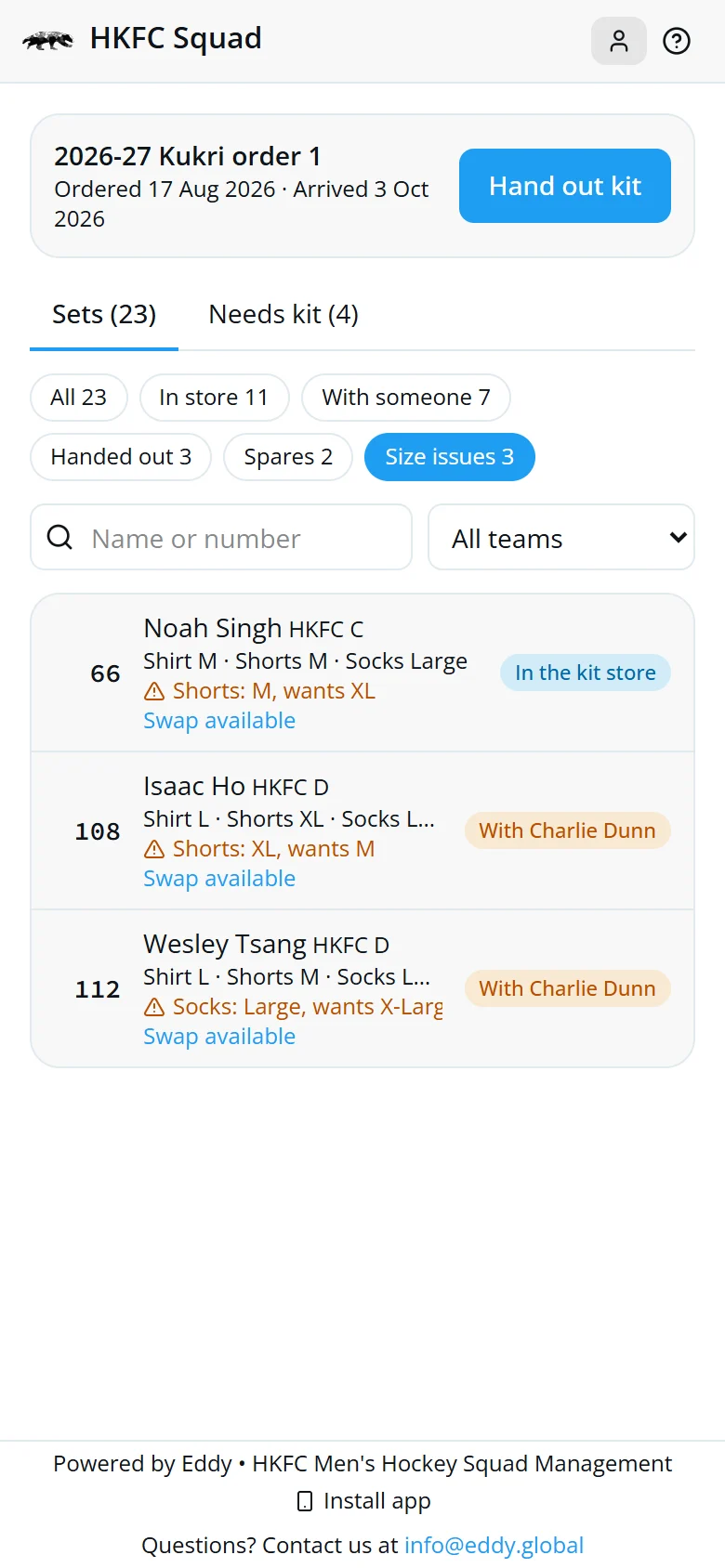
Tap a filter to narrow the list, search a name or number, or pick a team. Size issues lists sets where the owner now wants a different size.
Hand out a whole team's kit
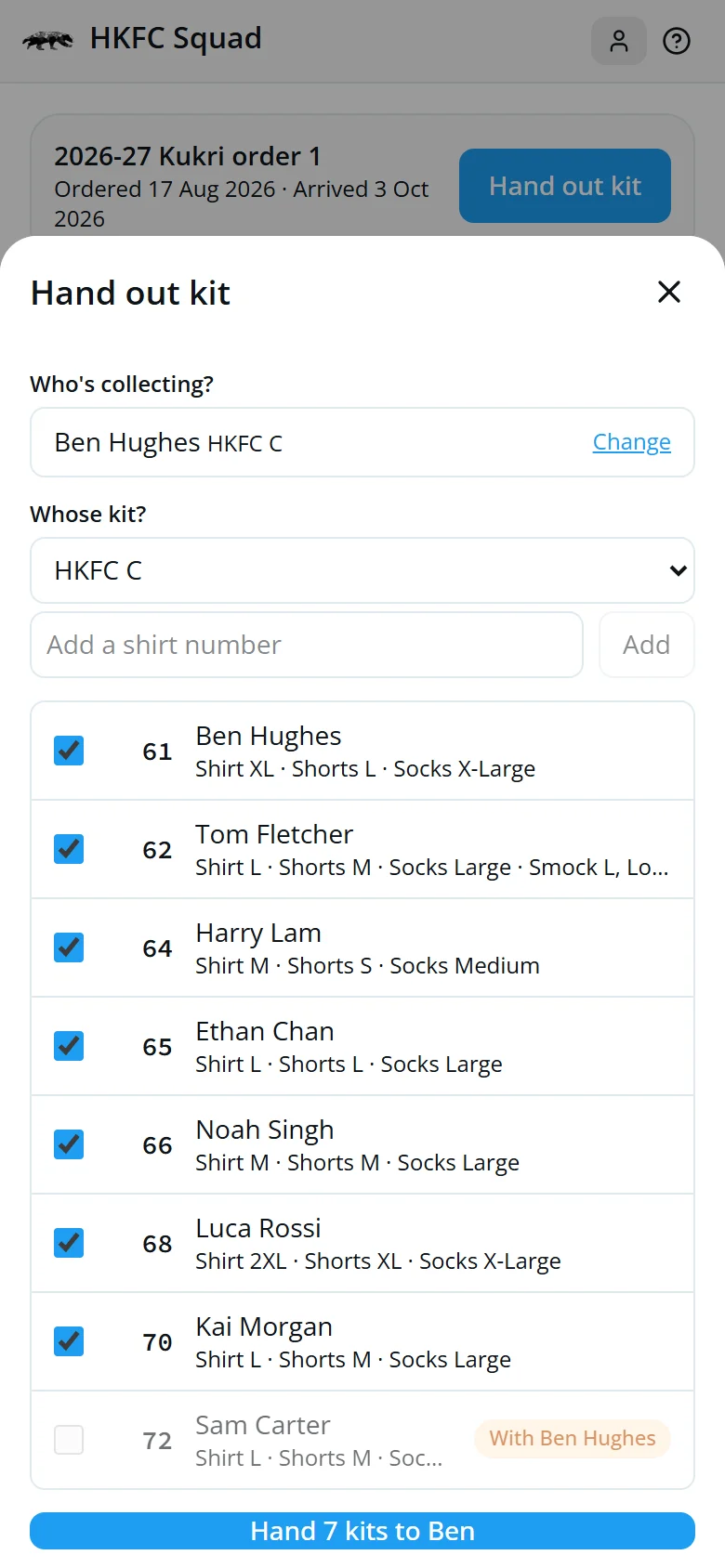
- Tap Hand out kit.
- Type who's collecting and pick them. It can be anyone: a captain, a friend, or the player.
- Their team's sets in the store are ticked. Untick any you're not handing over.
- Add others by number, for a friend in another team.
- Tap Hand 7 kits to Ben.
Open a set
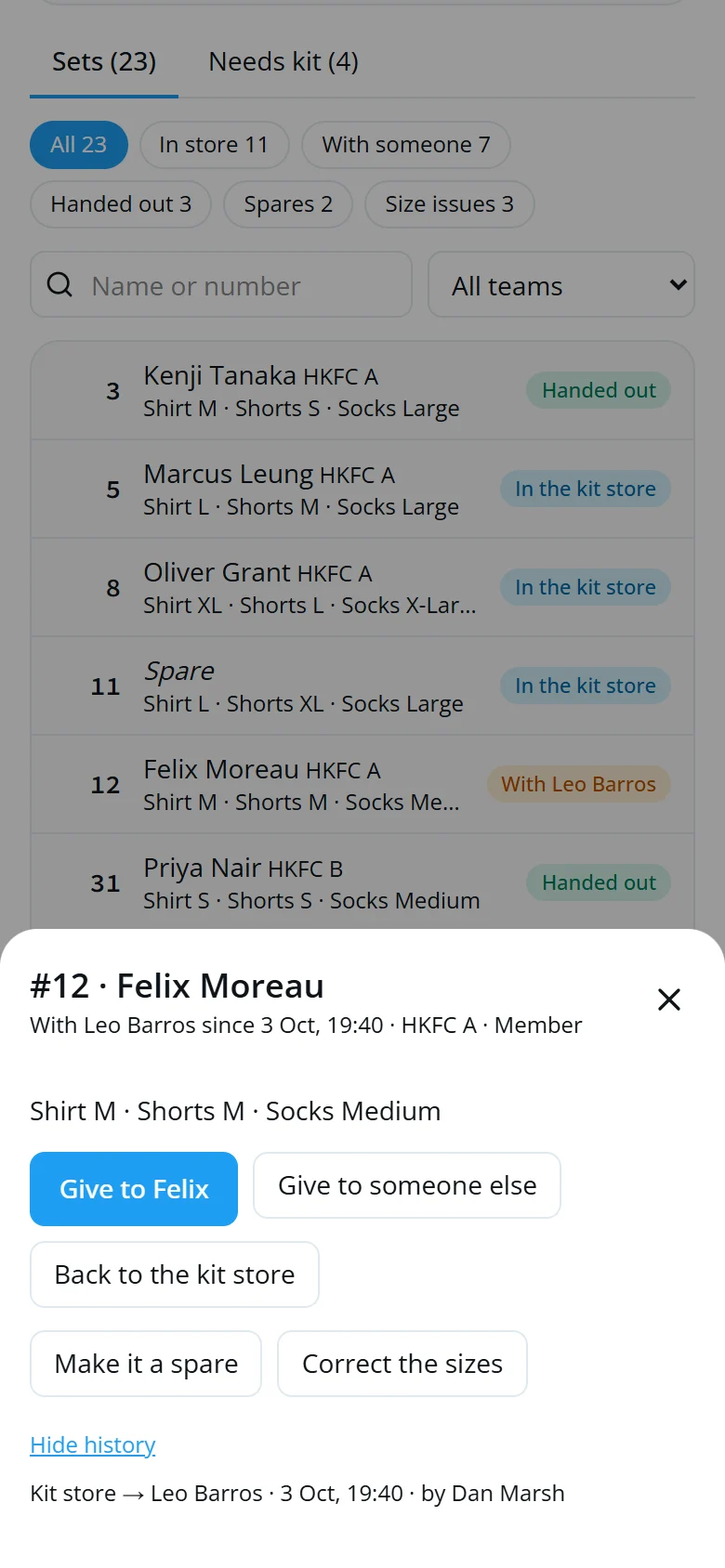
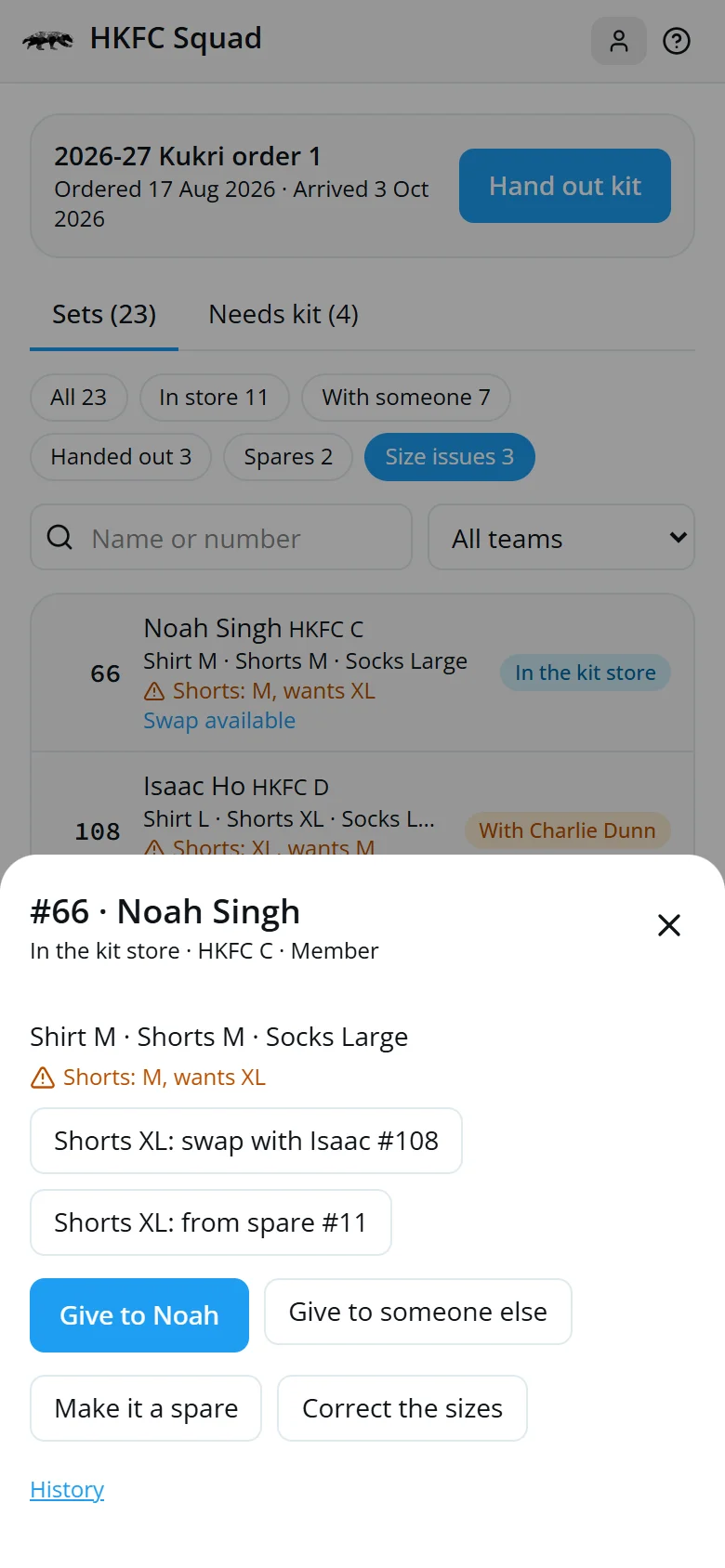
Tap any set to see who has it and since when.
- Give to ownerThey're here to collect it.
- Someone elseA friend is taking it for them.
- Kit storeIt came back to you.
- SizesThe supplier sent a different size.
History shows every move and who recorded it, so a missing set can be traced.
Swap shorts and socks
Shirts are printed with the number, so a shirt never changes. Shorts, socks and smocks can be swapped.
- Tap Size issues.
- Open a set marked Swap available.
- Tap a swap and confirm.
- From spareTake a spare's pair in the size they want. The spare keeps theirs.
- Swap withAnother player wants this size. One swap fixes both.
Spares and new joiners
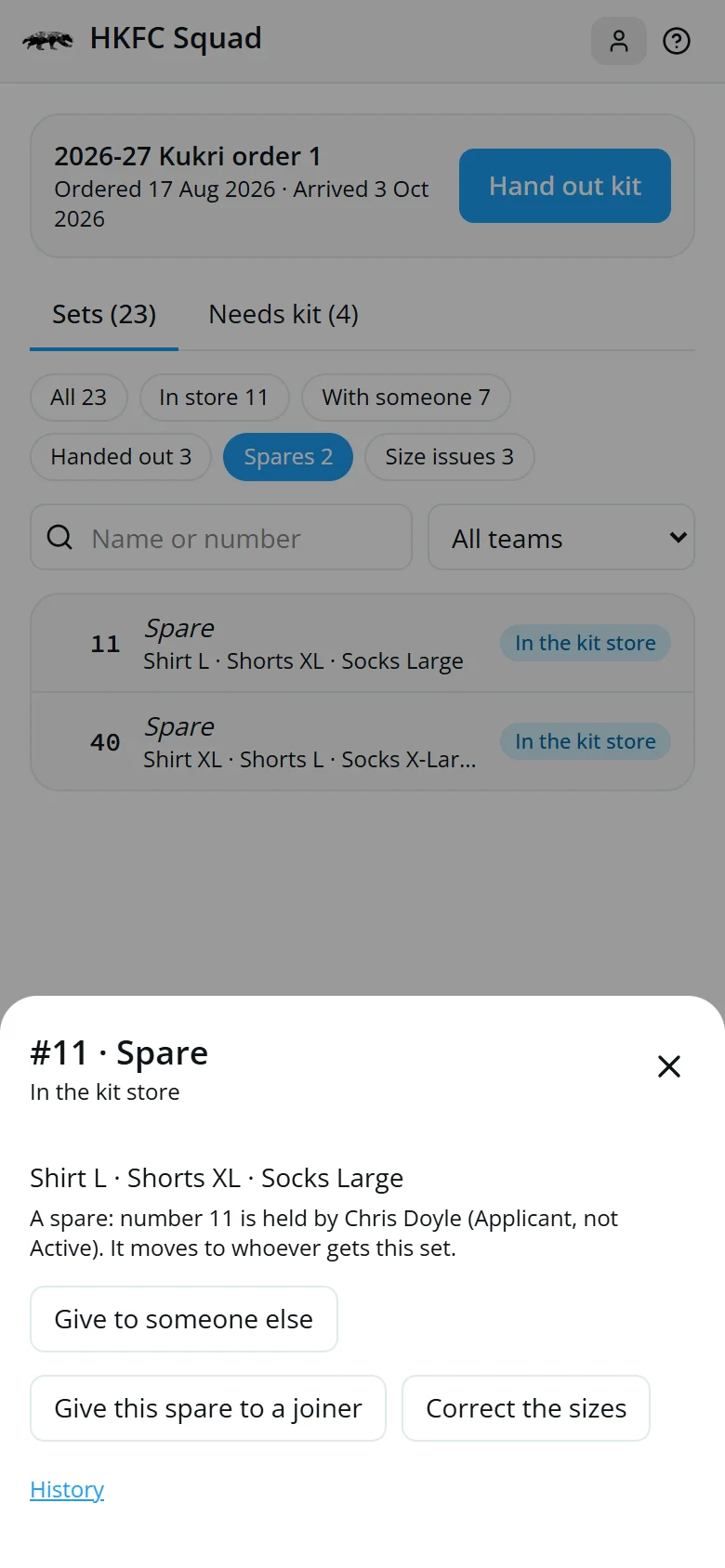
Kit only goes to Active players. A set whose number belongs to someone who isn't Active is a spare, kept with its sizes.
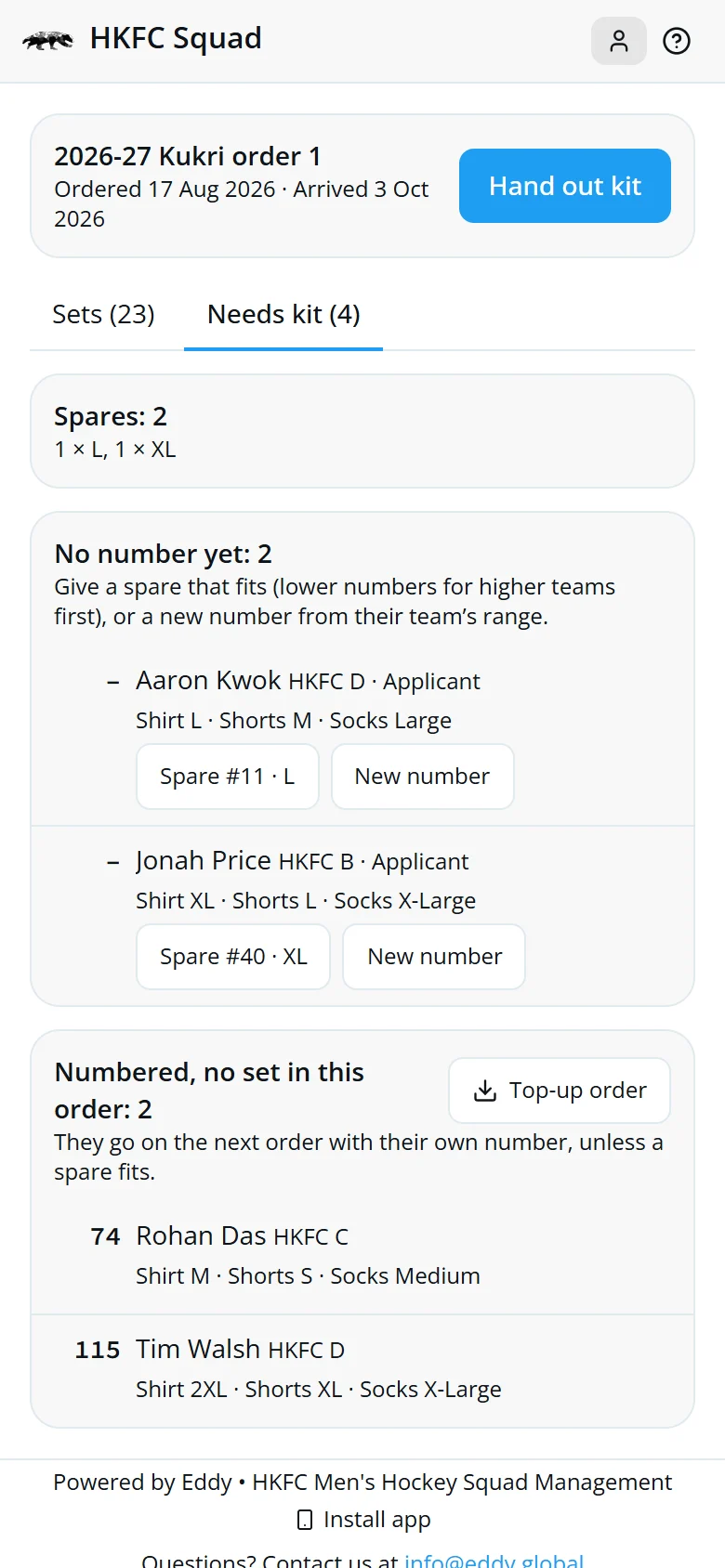
Open Needs kit:
- Spare #11Fits their shirt size. Their own team's numbers are offered first; higher teams have the lower numbers.
- New numberThe next free number in their team's range. Their kit goes on the next order.
- Top-up orderDownloads everyone waiting for kit, ready to send to the supplier.
What players see
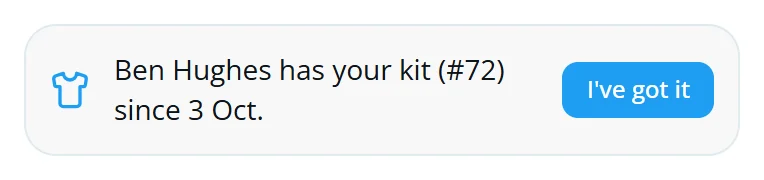
Every player sees where their kit is on their player screen: on order, ready to collect from you, or who has it.
- A player taps I've got it once it's in their hands.
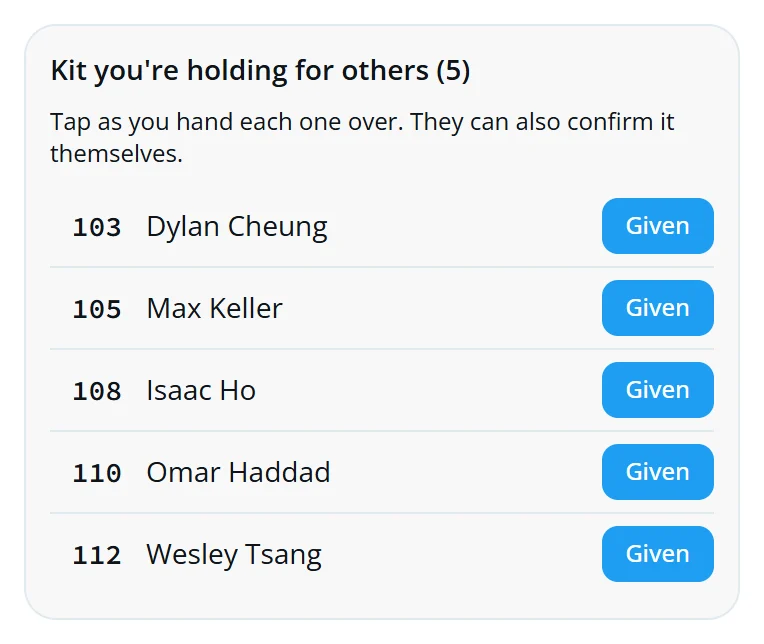
- A captain holding kit taps Given as they hand each set over.
Either tap marks the set as handed out. A captain can only pass a set to its owner. To send it somewhere else, you do it from the kit screen.
Quick answers
A player says they have their kit, but it shows with their captain.
Ask them to tap “I've got it” on their player screen, or open the set and tap Give to them.
Someone wants a different shirt size.
The shirt is printed with their number, so it can't be swapped. Their shorts and socks can be, if a spare or another player fits.
The supplier sent the wrong size.
Open the set and tap Correct the sizes, so it matches what's in the box.
An applicant didn't join. What happens to their kit?
Once they're no longer Active their set is a spare automatically, and it's offered to joiners it fits.
A set went to the wrong person.
Open it and give it to the right person, or take it back to the kit store. The history keeps every move.