Up and running in three steps
-
Open app.eddy.global
In your phone's browser. There's nothing to download.
-
Sign in with your email
You get an email with a link and a 6-digit code. Either one signs you in. There are no passwords.
-
Add it to your home screen
Tap Install app at the bottom of the page. It then opens like any other app and keeps you signed in.
Everything on one page
The app opens on your upcoming fixtures. Above them you'll see any forms the club needs from you, and teammates' birthdays.
- StatsThe club's record books
- My seasonYour games and goals
- PreferencesStanding answers
- CalendarSync your fixtures
- Log outThis device only
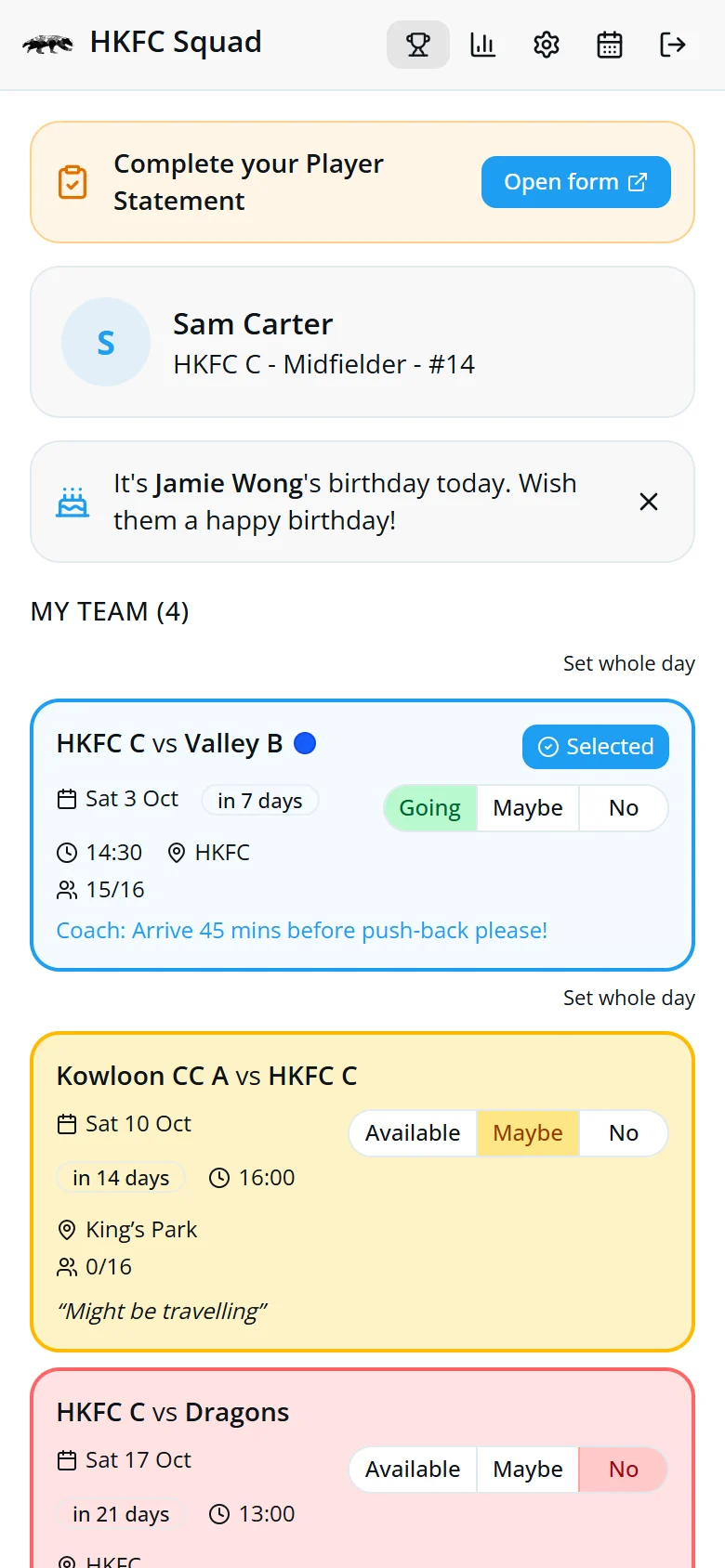
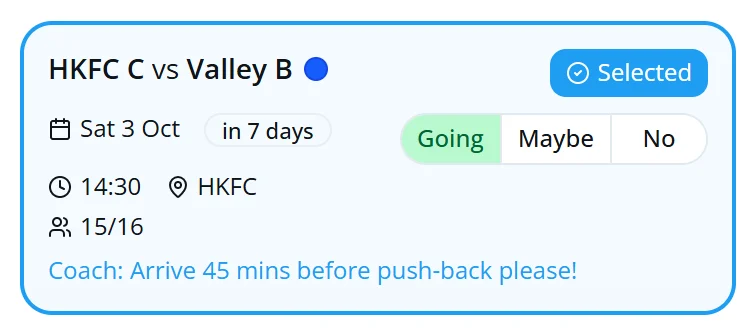
Going, Maybe or No
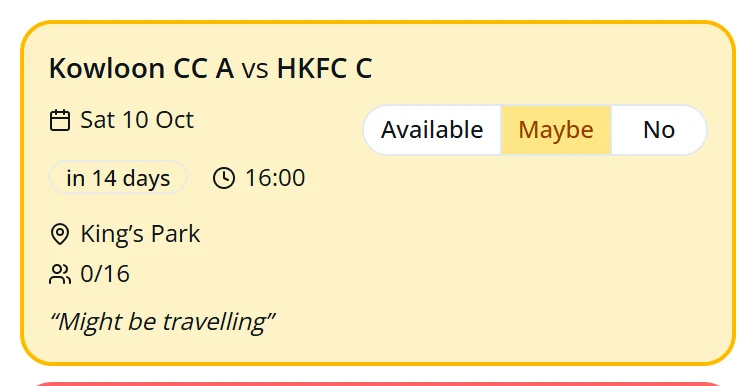
Every fixture card has three buttons. One tap and your coach can see it.
- GoingYou can play.
- MaybeNot sure yet. The card turns yellow.
- NoYou can't make it. The card turns red.
- SelectedYou're in the squad. The dot shows the kit colour.
Add a note and see who's playing
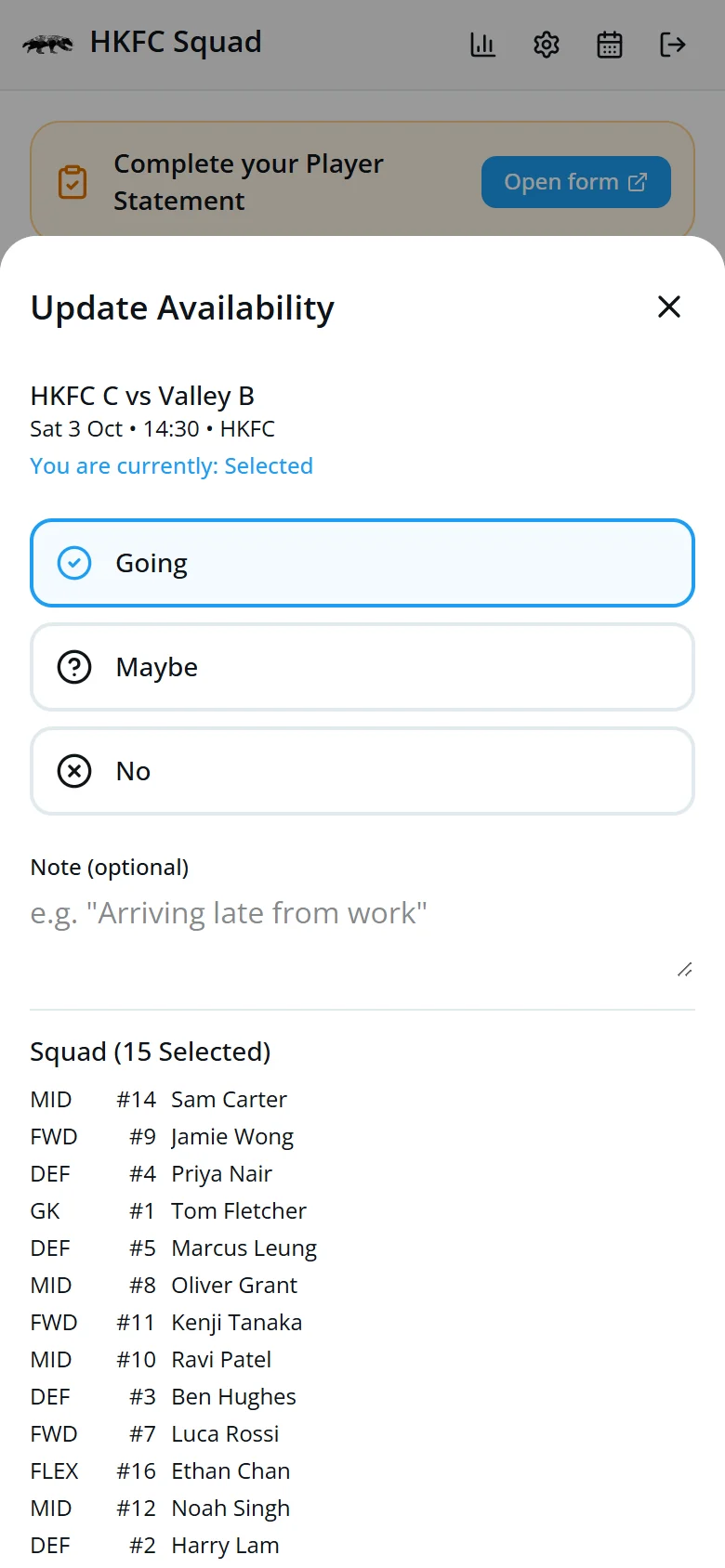
- Tap a fixture card.
- Choose your answer and add a note, such as “Arriving late from work”.
- Tap Save.
Once the squad is picked, the same screen lists everyone selected.
Two games in one day? Tap Set whole day to answer both at once.
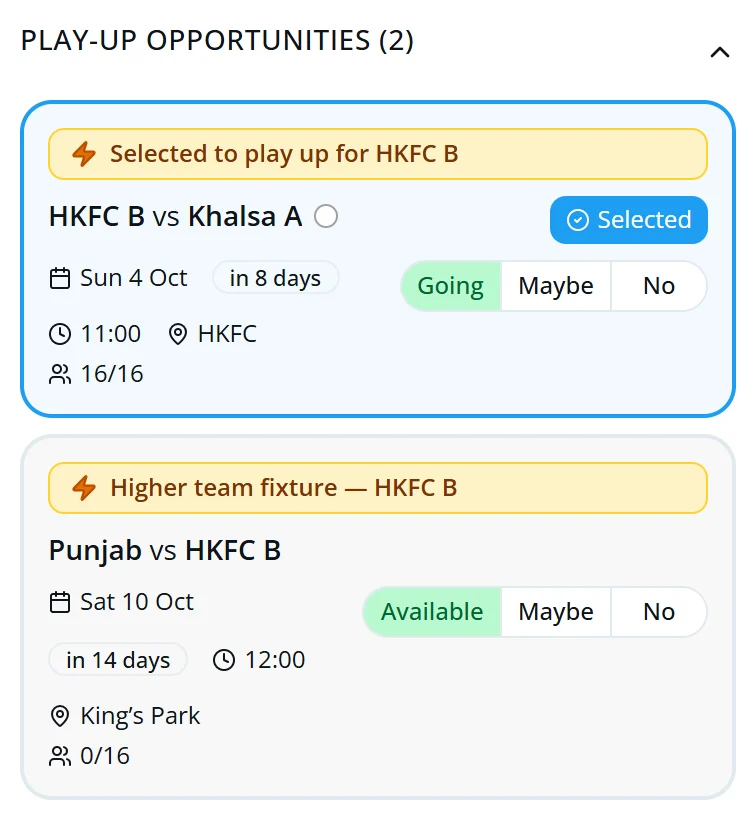
Help out other HKFC teams
Below your own fixtures are two more lists. Answer them the same way.
- Play-UpGames for the teams above yours.
- SupportGames for the teams below yours.
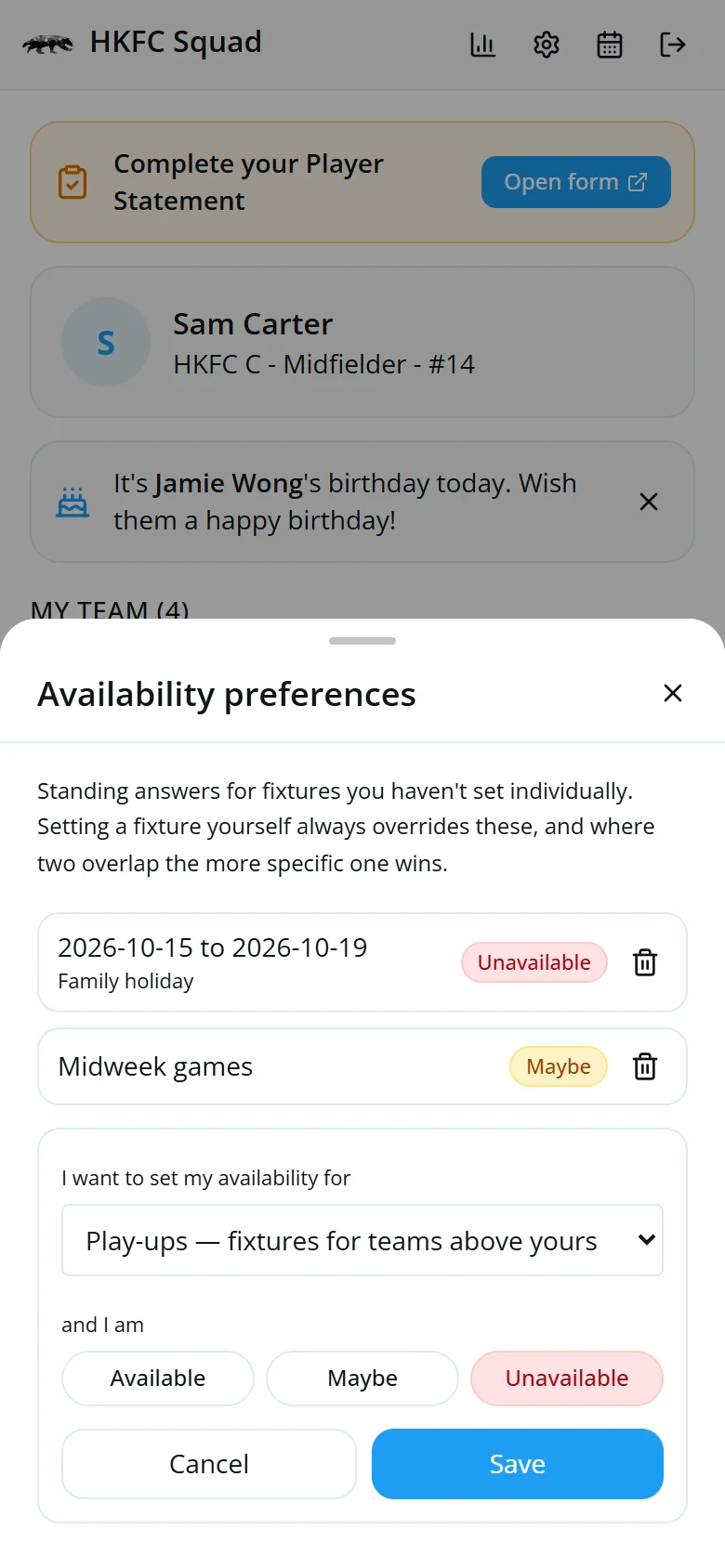
Away for a while?
Tap the gear icon to set an answer that covers many fixtures, such as a holiday or all midweek games.
- Tap Add a preference.
- Choose which fixtures, then Available, Maybe or Unavailable.
- Tap Save.
Answering a fixture yourself always overrides a preference.
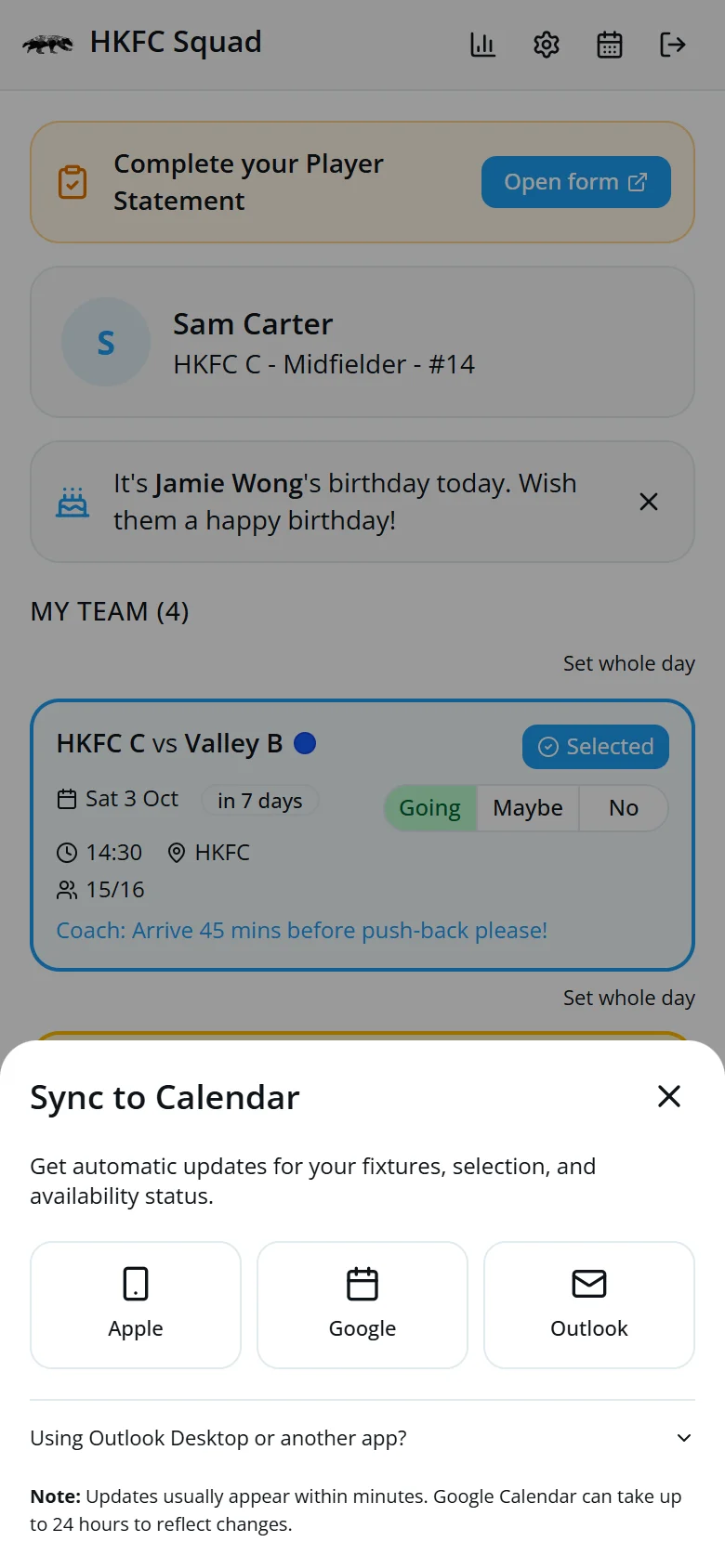
Fixtures in your calendar
- Tap the calendar icon.
- Tap Generate Calendar Link.
- Choose Apple, Google or Outlook.
Your calendar then updates by itself, including when you're selected.
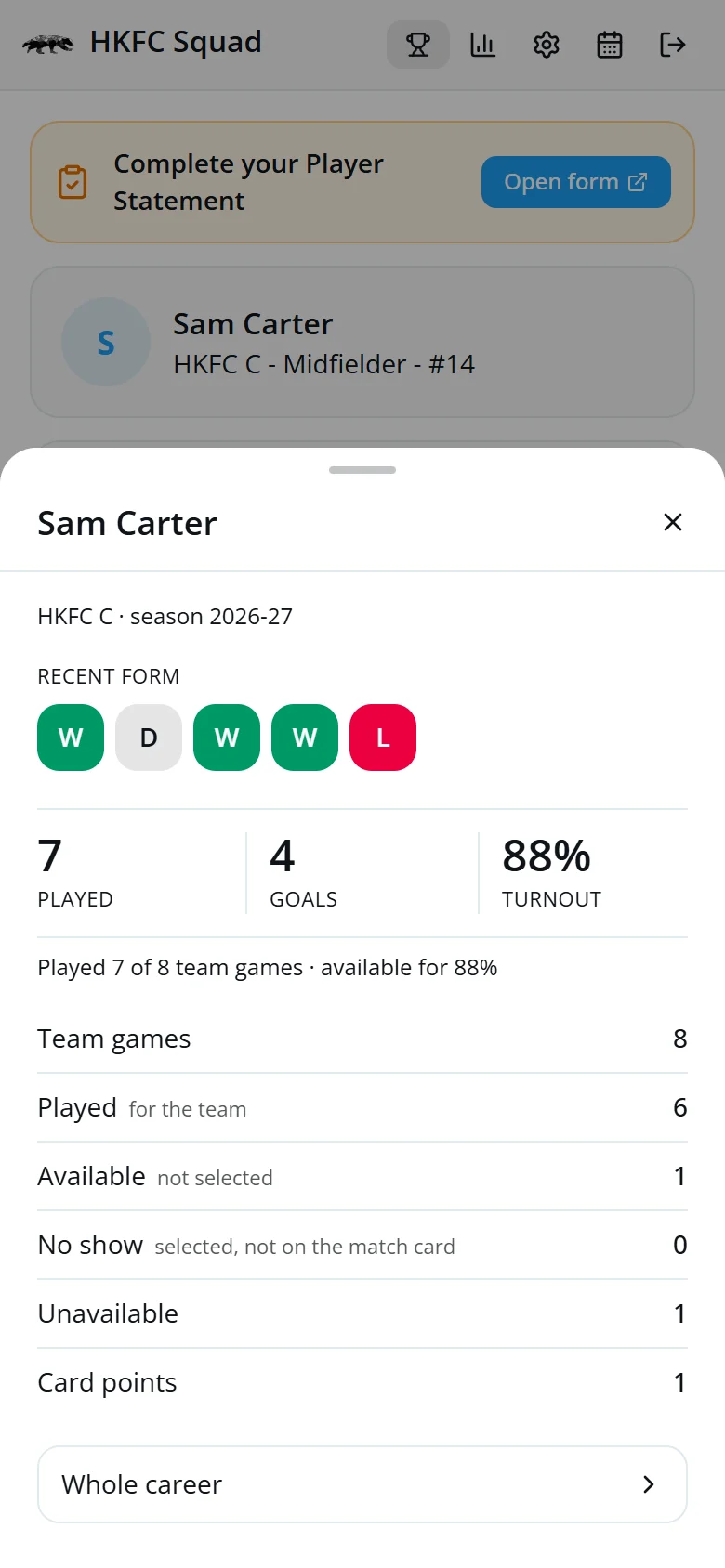
How your season's going
Tap the bar-chart icon to see your form over the last five games, plus your games played, goals and turnout.
Tap Whole career at the bottom for every season you've played.
Recent results, at the bottom of the home screen, has the latest scores and scorers.
The club's record books
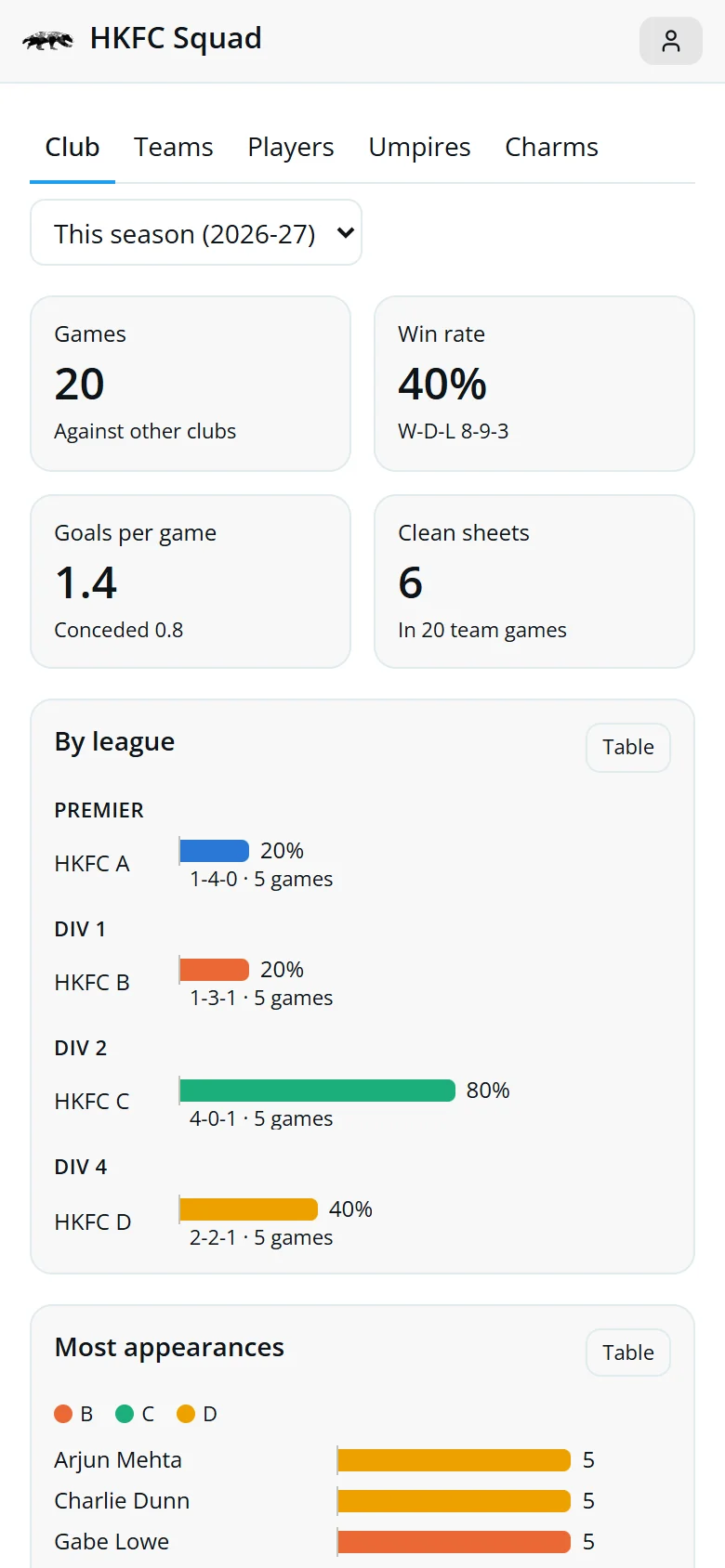
Tap the trophy icon to open Stats. Pick This season, an earlier season or All time from the menu at the top.
- ClubResults, win rate, league and cup records, and the top scorers.
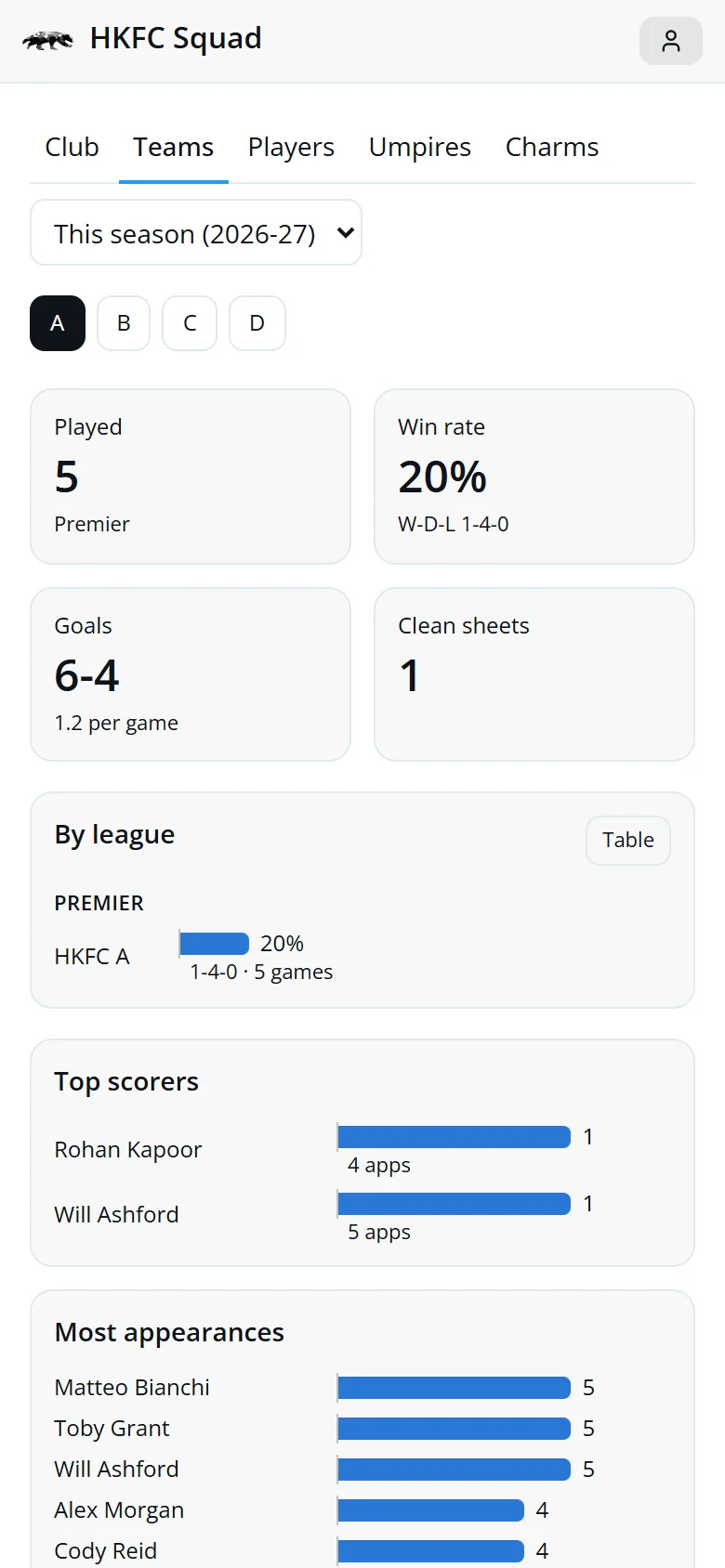
- TeamsThe same for one team at a time.
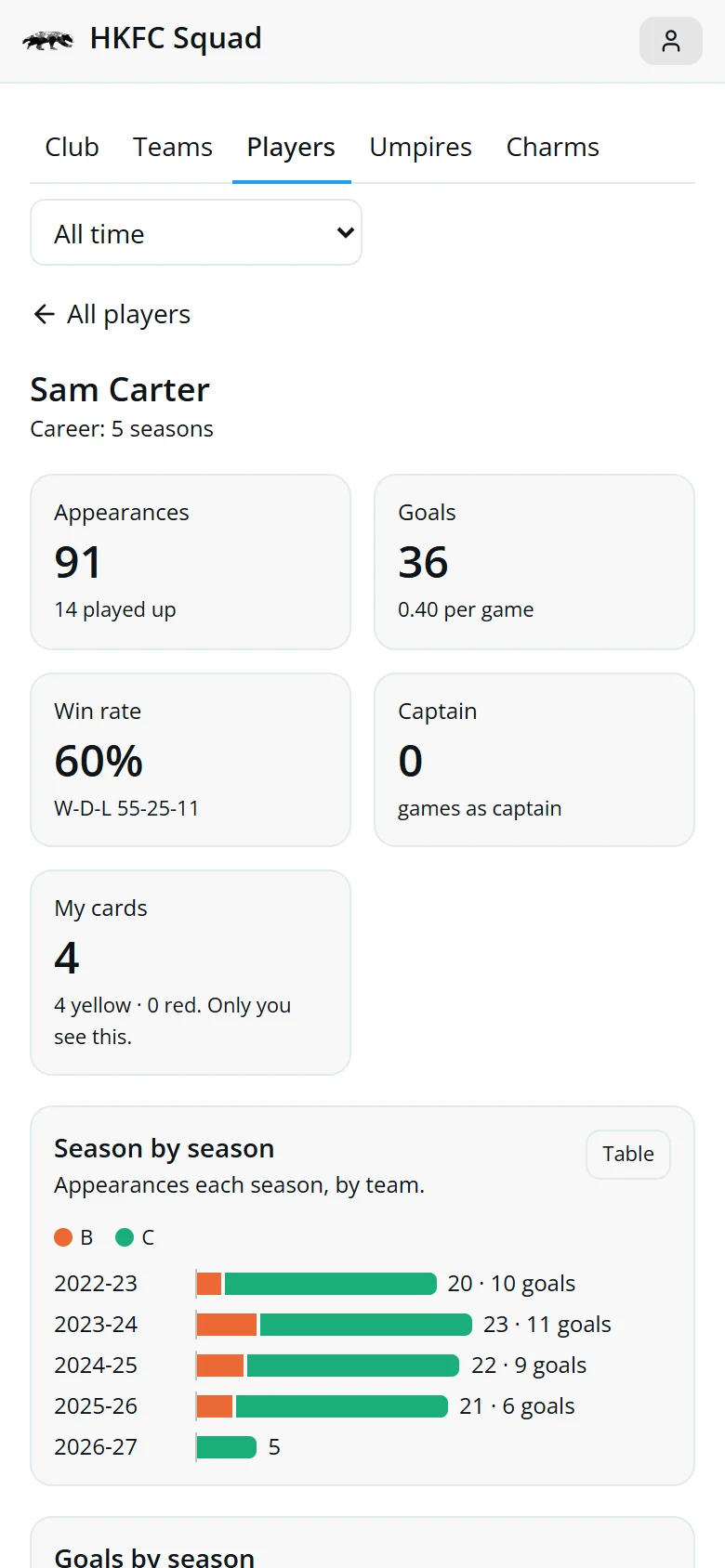
- PlayersLook up anyone's appearances and goals.
- UmpiresHow we do with each umpire.
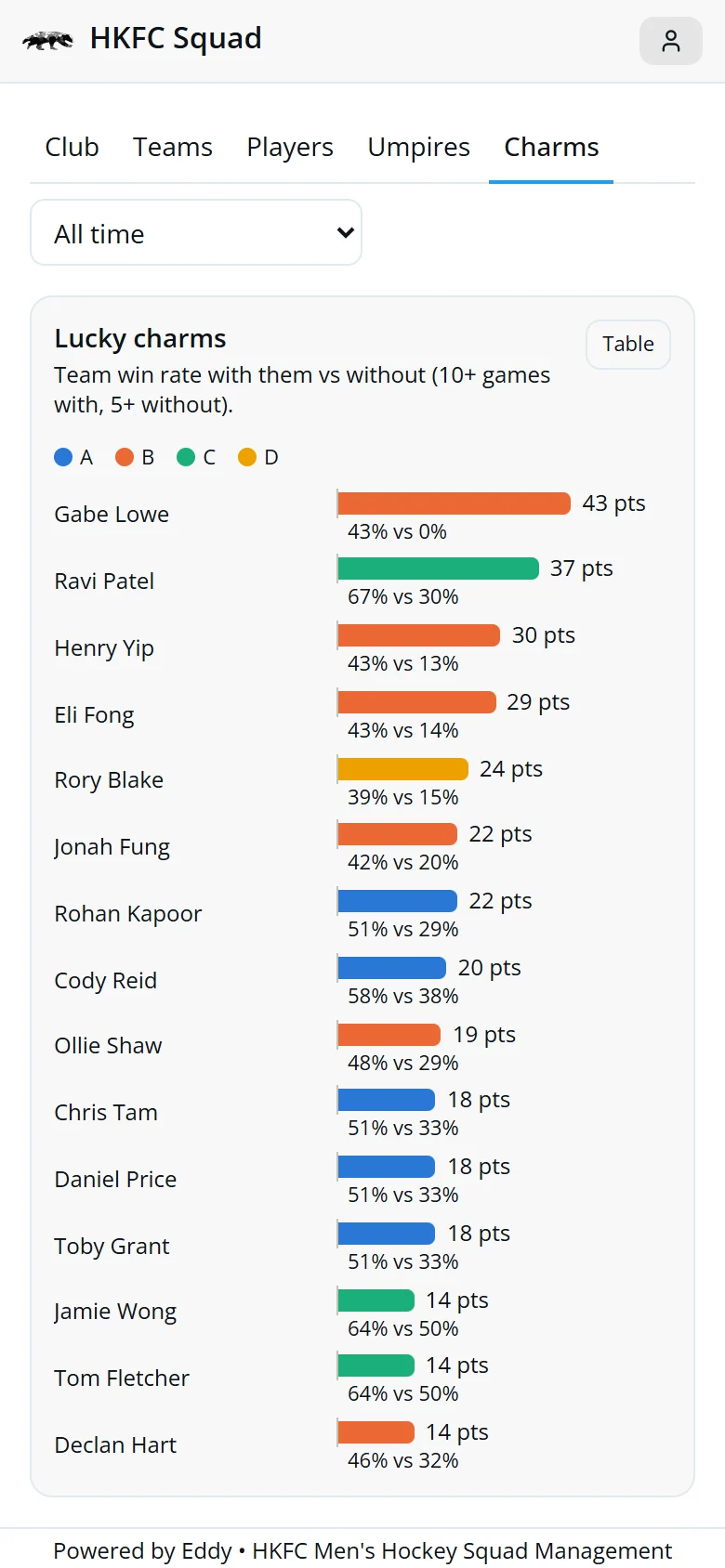
- CharmsPlayers whose team wins more often when they play.
Tap Table on any chart to see the numbers.
Your career and lucky charms
On the Players tab, tap My career to see your appearances, goals and win rate across every season. Tap anyone else's name to see theirs.
The Charms tab compares how often a team wins with a player and without them. Choose All time to see the full list.
Quick answers
Can I change my answer?
Yes, any time before the game.
I told my coach on WhatsApp instead. Is that OK?
Yes. Your coach can enter it for you.
I'm a goalkeeper and I see every HKFC fixture. Why?
Keepers in the lowest team often cover other teams, so they see every fixture. Use Set whole day to answer quickly.
My stats look wrong.
Stats come from the match cards. If a match card is missing or wrong, tell your coach.
It says “Your access is not active”.
Your membership hasn't been switched on yet. Speak to your coach.